
AMA Guides, Fifth Edition · Impairment Beta
From exam findings to reviewed impairment.
Use AI to pull documented findings from your examination PDF. Review the evidence and calculate impairment for supported Fifth Edition methods, then carry reviewed entries into California PR-4.
AI assisted assessment
Start with the examination.
Use the Impairment Beta workspace for a standalone assessment or prepare findings from the examination PDF on an injury case.
Extract documented findings
Upload the examination PDF. AI proposes documented findings and measurements with PDF page references so you can check the source.
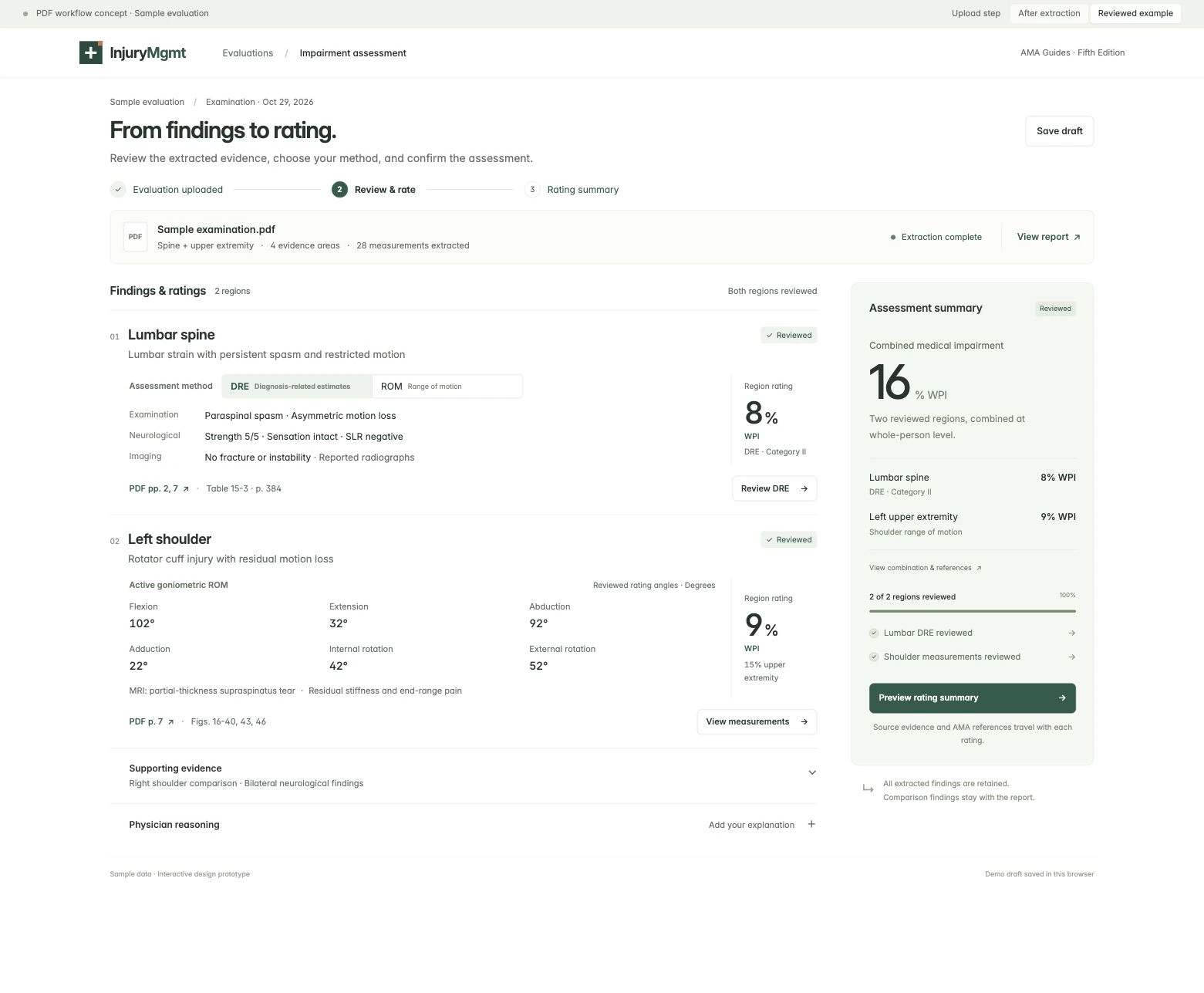
Choose the method and review inputs
Review and edit the proposed findings. For each involved spine region, choose Diagnosis Related Estimates (DRE) or range of motion (ROM). Complete the inputs and clinical confirmations your method requires.
Review the medical impairment result
The calculator uses your reviewed inputs for supported spine and extremity methods. Review regional results, applicable AMA Guides references, and combined whole person impairment (WPI) when the assessment supports it.
California workers’ compensation
Enter your PR-4 findings. Get an impairment estimate.
InjuryMgmt uses the findings you enter on the approved California PR-4 template to estimate whole person impairment (WPI) for supported methods. Each proposed rating includes the applicable table or figure and page citations from the AMA Guides, Fifth Edition.
Watch the PR-4 workflow demo View the official California PR-4Enter your examination findings
Document your examination in the PR-4 draft. Open Fill impairment ratings and choose Extract this examination to pull the findings into the assessment with AI. You can also import an examination PDF, enter findings directly in the assessment, or use a saved assessment.
Review the estimate and citations
Confirm the patient and injury, check the findings, and review the spine method and any pain adjustment. Preview the estimated WPI for each impairment alongside its AMA Guides references.
Insert the reviewed ratings
Select Insert ratings into PR-4 to fill the impairment labels, WPI percentages, and citations. Write or dictate your explanation and review the rendered PDF before signing. A reviewed additional pain entry appears on a separate continuation.
The approved template has four impairment rows. Additional outputs require a separate continuation report. Check long page references against the insertion preview when reviewing the PDF.
Practical details
Before you start.
What can I upload?
The standalone examination import accepts one PDF, up to 50 pages and 20 MB. Use an examination report with the findings and measurements you want to review.
What happens if a finding is incomplete?
Findings that need more information stay pending. Check the source and complete the required inputs or clinical decisions before using a result.
Who can use PR-4 form filling?
The form filling action appears on visits using the approved PR-4 from the template library. California DWC designates PR-4 for primary treating physicians. Evaluators preparing a medical-legal report can work in the standalone impairment workspace.
Bring your assessment into InjuryMgmt.
Ask about access to Impairment Beta and the approved California PR-4 template.